Last Verified: October 17, 2026 — every command below ran on Claude Code 2.1.302 (Windows, Node 24), and the three sites shown are real output
Ask Claude for a website and you usually get the same page: a purple gradient, a centered hero, three identical cards. Claude isn’t bad at design. It just has no design rules, no reference to copy, and no way to look at what it built.
Three free skills and one browser connection fix all three. Below: what to install, the brief that actually changes the result, and the three sites we built with it.
In this guide: Quick Start · Step 1 check what you need · Step 2 two design skills · Step 3 Taste · Step 4 let Claude see its work · Step 5 the brief · check & fixes · honest limits · FAQ
Quick Start
- What you get: design rules (Emil Kowalski), an AI-pattern checker (Impeccable), reference-driven layouts (Taste), and a real browser Claude can screenshot (Playwright MCP).
- Cost: all free and open source (MIT / Apache-2.0). Runs on your normal Claude plan.
- You need: Claude Code and Node.js 22.20+.
- Time: about 15 minutes.
Make a project folder, then paste these four lines into your terminal:
mkdir my-site
cd my-site
npx --yes skills@latest add emilkowalski/skills --skill "emil-design-eng" --agent claude-code --yes --copy
npx --yes skills@latest add https://github.com/Leonxlnx/taste-skill --skill "design-taste-frontend" --agent claude-code --yes --copy
npx --yes impeccable@latest install --providers=claude --scope=project
claude mcp add playwright npx @playwright/mcp@latestOr paste this into Claude Code and let it do the setup (it checks, installs only what’s missing, and asks before anything risky):
Set up this folder so you design websites that don't look AI-made.
1. Check `node --version` is 22.20 or newer. If not, stop and tell me.
2. Install only what's missing:
   npx --yes skills@latest add emilkowalski/skills --skill "emil-design-eng" --agent claude-code --yes --copy
   npx --yes skills@latest add https://github.com/Leonxlnx/taste-skill --skill "design-taste-frontend" --agent claude-code --yes --copy
   npx --yes impeccable@latest install --providers=claude --scope=project
   claude mcp add playwright npx @playwright/mcp@latest
3. Ask me before any sudo, global install or settings change. Don't overwrite existing files or read .env.
4. Verify with `ls .claude/skills` and `claude mcp list`, then show me the exact output.
Only say it worked if both checks pass.On this page (8 sections)
The 4 Pieces
| Piece | What it does | License · stars |
|---|---|---|
| Emil Kowalski design skill | Rules for type, spacing, layout and motion, like how a button should feel when pressed | MIT · 47K |
| Impeccable | Flags patterns that scream “AI made this” and ships its own detect audit | Apache · 82K |
| Taste | Borrows structure and mood from real sites you name, with 3 dials | MIT · 98K |
| Playwright MCP | Opens a real browser so Claude can screenshot and fix its own page | Apache · 38K |
Step-by-Step
Step 1: Check what you need
2 min
node --version
claude --versionNode must be v22.20.0 or newer. If it’s older or missing, install the LTS from nodejs.org and reopen the terminal. On Windows, use Git Bash or WSL instead of PowerShell.
Step 2: Install the two design skills
4 min
npx --yes skills@latest add emilkowalski/skills --skill "emil-design-eng" --agent claude-code --yes --copy
npx --yes impeccable@latest install --providers=claude --scope=projectBoth finish with Done!. Then quit Claude Code completely and start it again so it loads the skills, and run /impeccable init inside Claude Code. It asks what you’re building and for whom, and saves the answers for later sessions.
Heads-up from our test
If Impeccable is already installed on your machine globally, the project install also updates that global copy and its Claude Code hooks in ~/.claude. That’s harmless, but it means its checks run in every project, not just this folder.
Step 3: Add Taste
3 min
npx --yes skills@latest add https://github.com/Leonxlnx/taste-skill --skill "design-taste-frontend" --agent claude-code --yes --copyKeep the --skill part: the repo holds about 13 skills and you’ll get all of them without it. Taste has three dials you set in your request, each from 1 to 10:
| Dial | Low | High |
|---|---|---|
| VARIANCE | Symmetric, safe layout | Bold, asymmetric layout |
| MOTION | Almost static | Scroll and physics effects |
| DENSITY | Lots of whitespace | Packed with information |
It only really changes the output when you name one or two real sites to borrow from.
Step 4: Let Claude see what it built
3 min
claude mcp add playwright npx @playwright/mcp@latest
claude mcp listYou should see this line:
Now Claude can open the page in a real Chrome window, take desktop and mobile screenshots, and fix what’s off. (Using Figma? You can also add claude mcp add --transport http figma https://mcp.figma.com/mcp so it reads your colors and spacing. Optional.)
Step 5: Write the brief that changes the result
5 min
Skills give Claude standards. They don’t tell it what to build. “Make it clean and pretty” gets you the template again. Fill in this brief instead:
Use the design-taste-frontend and emil-design-eng skills (and impeccable rules) for this.
Build a one-page website for [business name], a [what it is] in [city], as index.html.
Audience: [who visits]. Mood: [3 words, e.g. warm, editorial, confident].
References: [1-2 real sites you like and what to borrow from each].
Sections: hero with a one-line promise, 3 strengths, [menu / pricing / projects], testimonials, FAQ, visit or contact, one CTA "[button text]".
Brand: [main color hex], [background hex], one accent [hex]. [Display font style] + clean sans body.
Taste dials: VARIANCE [1-10], MOTION [1-10], DENSITY [1-10].
Avoid purple gradients, centered-everything heroes and three identical cards.
When it's built, open it with Playwright, screenshot desktop (1440px) and mobile (390px), fix spacing, overflow and alignment, then screenshot again.To refine, give specific notes, not “more polished”: more whitespace, bigger title, one button only, 96px between sections, fix the mobile menu overflow, show before/after screenshots.
What We Built With It
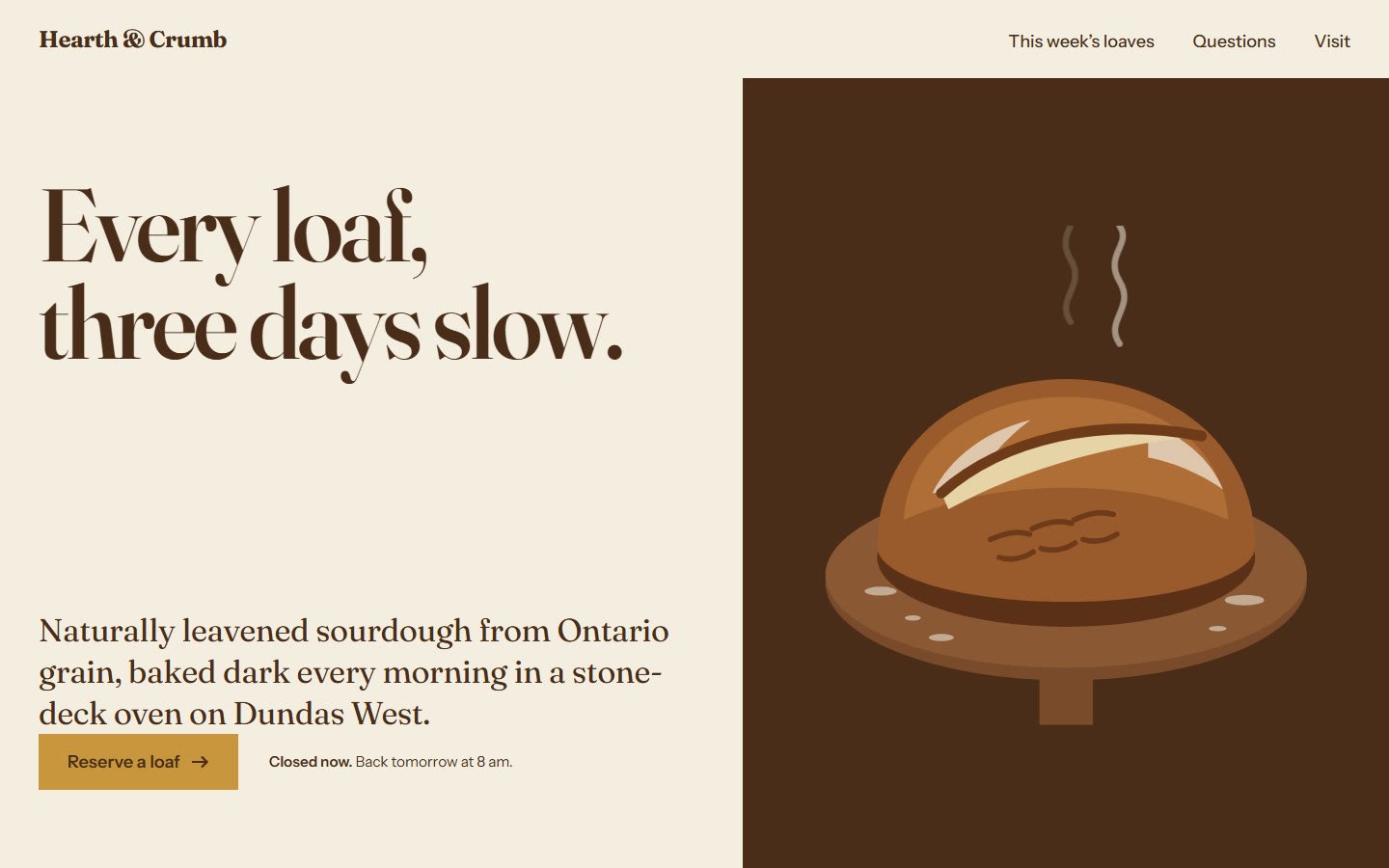
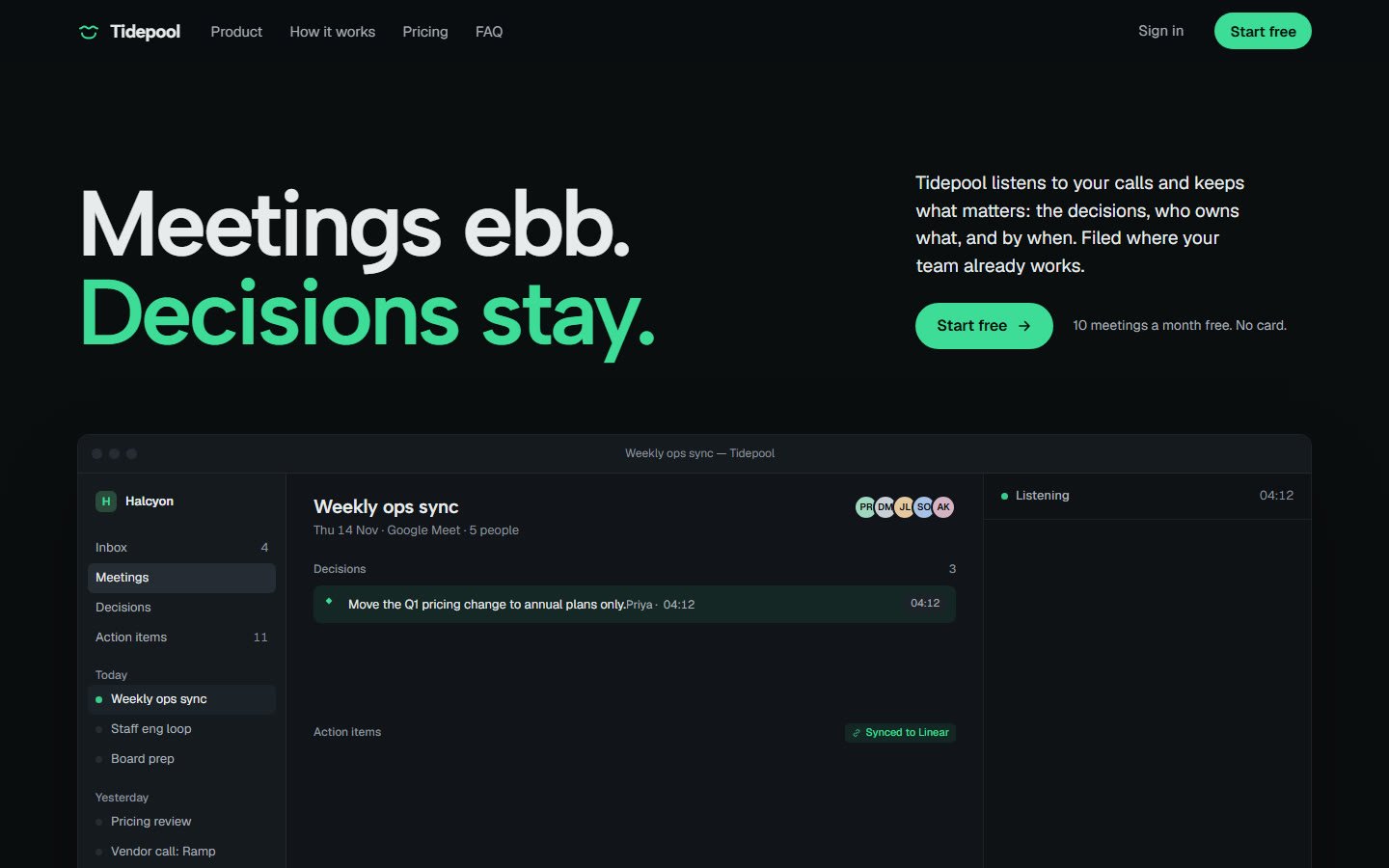
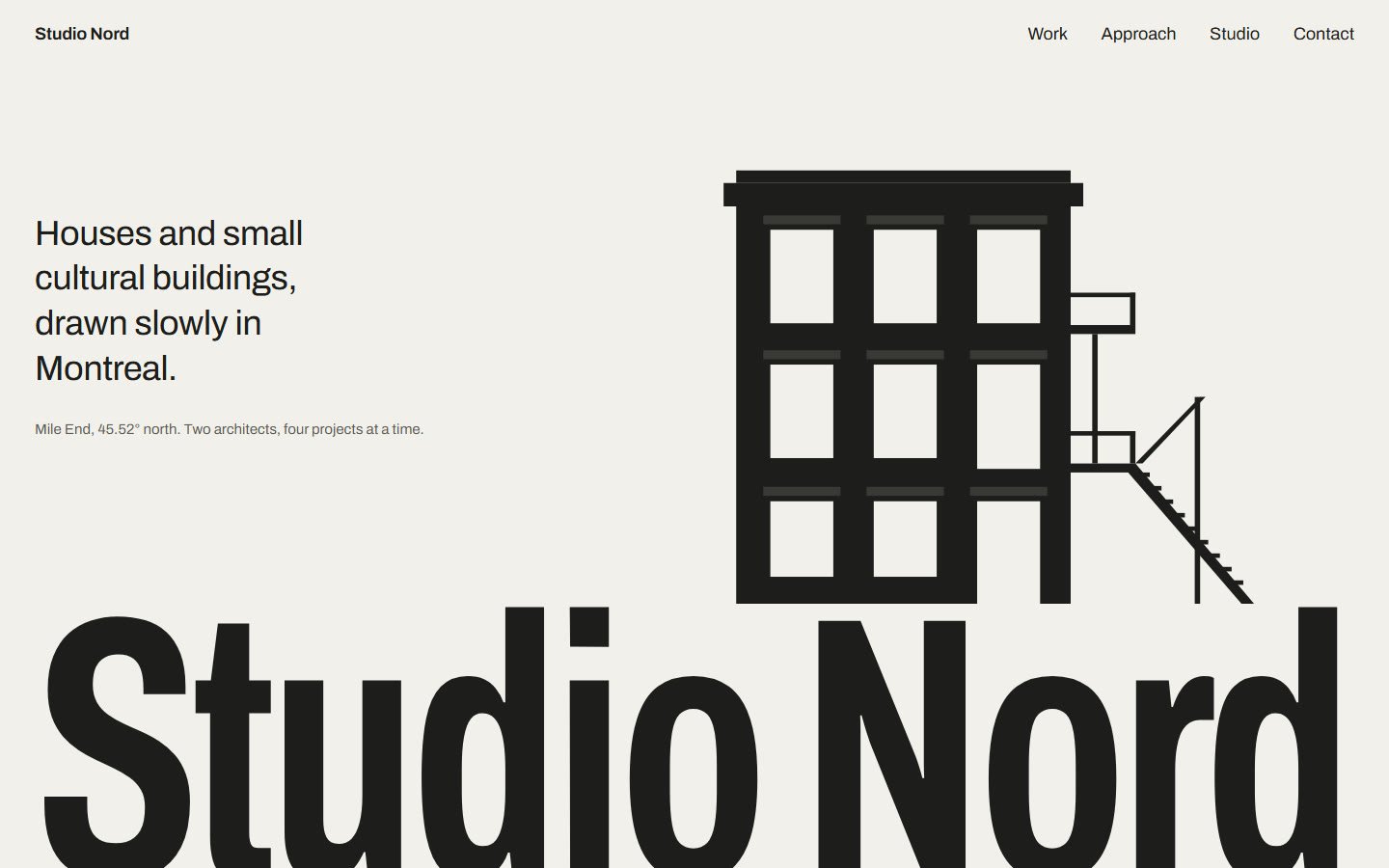
Three briefs, one run each, no hand edits. Same setup, very different results, because the brief and dials changed:
| Site | Mood · dials |
|---|---|
| Hearth & Crumb, a sourdough bakery | warm, editorial, old-world · VARIANCE 7, MOTION 4, DENSITY 3 |
| Tidepool, an AI meeting-notes app | calm, precise, dark · VARIANCE 6, MOTION 5, DENSITY 6 |
| Studio Nord, an architecture studio | quiet, monochrome, gallery-like · VARIANCE 8, MOTION 3, DENSITY 2 |
Check It Worked
ls .claude/skills
claude mcp list
npx --yes impeccable@latest detect index.htmlls should list design-taste-frontend and emil-design-eng. detect audits the finished page. On our bakery build it found 8 issues, including this advisory:
[shape-assembled-illustration] inline <svg> scene: 9 primitive shapes, ~600x560px
→ …a hero-sized visual deserves real artwork, a photograph, or a deliberately drawn graphic.
Fair point: hand Claude the list and ask it to fix them, or swap in a real photo. detect exits like an error when it finds something; that’s normal.
If Something Goes Wrong
| You see | Fix |
|---|---|
npx: command not found | Install Node.js LTS and reopen the terminal |
| Install stops with a version error | Upgrade Node to 22.20+ |
| Claude doesn’t use the skills | Quit Claude Code fully and start it again |
| A dozen extra skills appeared | You left out --skill; delete the extra folders in .claude/skills |
/impeccable isn’t recognized | Restart, then check ls .claude/skills |
| The result still looks generic | You skipped Step 5: add audience, mood and 1-2 reference sites |
To remove everything: rm -rf .claude/skills/emil-design-eng .claude/skills/design-taste-frontend, claude mcp remove playwright, and Impeccable’s own uninstall in its README.
Honest Limits
- Skills don’t give you taste. Without reference sites the result barely moves.
- The first build is a draft. Plan one or two fix rounds using
detectand the screenshots. - Images are still the weak spot. Drawn SVG scenes look like clip art (Impeccable says so too). Real photos help most.
- It won’t replace a designer for brand direction. It gets you a far better starting point.
FAQ
Is it free?
Yes. All four pieces are open source (MIT or Apache-2.0). Building runs on your normal Claude Code plan.
Do I need to know how to code?
No. You paste four commands and a brief. Claude writes the HTML and CSS.
Does it work outside Claude Code?
The skills install for Claude Code here. Impeccable also supports other agents; see its README.
Will it change my other projects?
The skills install into this folder only. The one exception is Impeccable: if it’s already installed globally, its global copy gets updated too.
Official Sources
- emilkowalski/skills
- pbakaus/impeccable · impeccable.style
- Leonxlnx/taste-skill · tasteskill.dev
- microsoft/playwright-mcp