Checked: November 14, 2026 — we made the poster below in PhotoCraft ourselves
If you pay every month for Photoshop just to fix a flyer, a menu or a sale sign now and then, this one is for you. PhotoCraft is a free, open-source photo editor built to work like Photoshop: layers, masks, text, shapes, brushes, and real Photoshop (.psd) files.
The idea from our Short: fix one word on a poster without redoing the whole poster. Because every layer stays editable, you change only the part you want. Here’s how to get it and make your first edit.
This is Bunji’s Free Find #4 — a free AI tool every week. Follow @bunjiai on YouTube.
In this guide: at a glance · why layers matter · install · your first edit · what else it does · FAQ
On this page (8 sections)
At a Glance
| Details | |
|---|---|
| Cost | Free. No subscription, no account. |
| Works on | Windows, Mac, Linux and FreeBSD, plus a version that runs in your web browser. |
| Opens | Photoshop .psd and .psb files, plus JPEG, PNG, TIFF, WebP, GIMP, Krita and more. |
| License | Open source: MIT or Apache-2.0, your choice. |
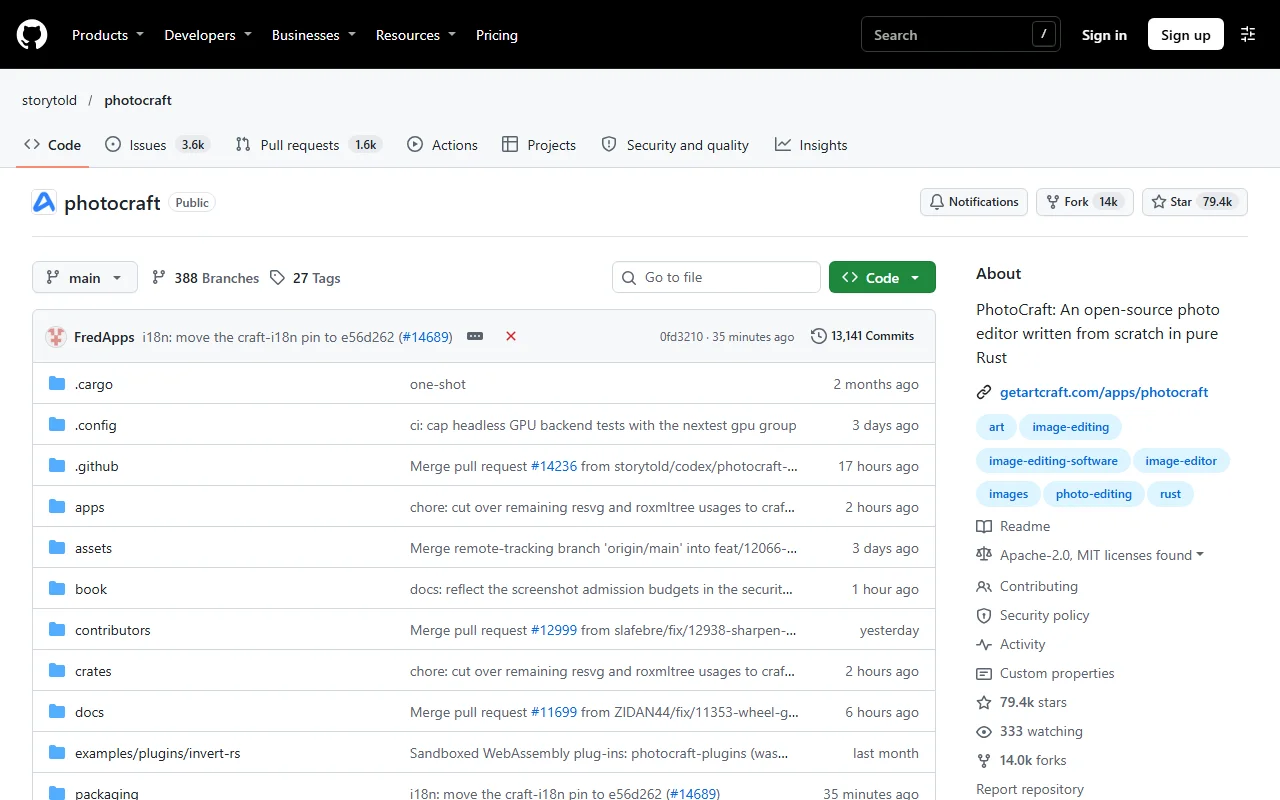
| GitHub | About 79,000 stars. Started September 30, 2026; latest release v0.23.1 on November 12. |
| Good for | Flyers, posters, menus, social posts and photo touch-ups you want to keep editing later. |
| Made by | The ArtCraft team and contributors. |
Numbers from GitHub on November 14, 2026.
Why Layers Matter
A layered file keeps each piece separate: the photo, each line of text, each sticker, each color change. So when the date changes or the boss wants a different color, you fix that one piece and the rest stays exactly as it was.
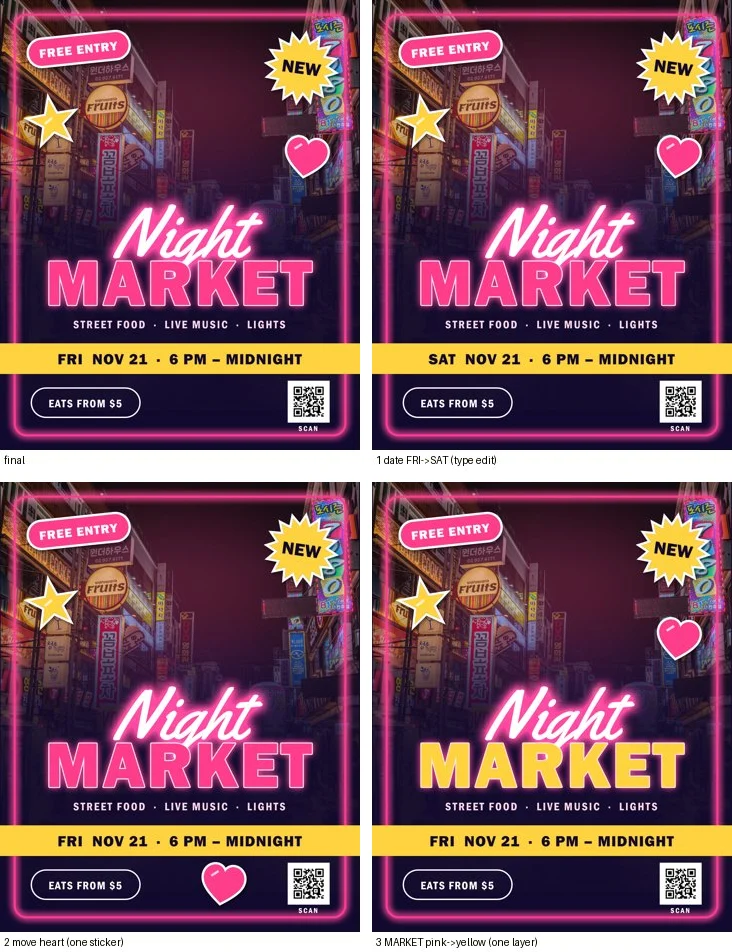
We built a 23-layer Night Market poster in PhotoCraft (v0.20.1), then made three changes, one layer each:
| Change | What we touched | What stayed the same |
|---|---|---|
| FRI → SAT | The text on the date layer | Every other layer |
| Move the heart | The heart sticker layer | Every other layer |
| MARKET pink → yellow | The color of one text layer | Every other layer |
Install
Way 1. The download page (easiest)
~3 min
The README says the easiest way is the PhotoCraft page on getartcraft.com. Download it for your computer and install it like any other app.
Way 2. Pick a file from GitHub
~3 min
Open the latest release and pick your file. <ver> is the version number:
| Your computer | File |
|---|---|
| Windows (most PCs) | photocraft-<ver>-windows-x64.msi |
| Windows on ARM (Snapdragon) | photocraft-<ver>-windows-arm64.msi |
| Mac (Apple silicon or Intel) | photocraft-<ver>-macos-universal.dmg |
| Linux | .AppImage, .deb or .rpm |
The Windows installers are code-signed, and the Mac app is signed and notarized by Apple. Windows also has a portable .zip if you’d rather not install anything.
Your First Edit: Change One Word
1. Open your file
~30 sec
Open a layered .psd (yours, or one a designer sent you) or start a new document and drop in a photo. If you know Photoshop, the menus, panels, tools and shortcuts are where you expect them.
2. Find the layer
~30 sec
In the Layers panel, click the text layer you want to change. Each line of text, sticker and photo is its own layer.
3. Change only that
~1 min
Edit the text, move the piece, or change its color. Text layers stay editable, so the font and style stay the same.
4. Save two ways
~30 sec
Save the layered file (.psd or PhotoCraft’s own .pcraft) so you can edit again next week, and export a JPEG or PNG to print or post.
Keep your original
When you try any new editor on a file that matters, work on a copy and keep the original next to it.
What Else It Does
| Feature | What it means for you |
|---|---|
| Adjustment layers | Brightness, Curves, Vibrance, Hue/Saturation and more as layers you can turn off any time. The photo itself never changes. |
| Masks | Apply a change to just one area, like keeping color only on a face. |
| Smart selection | Select the subject of a photo. It runs on your computer, with no cloud and no account. |
| Layer styles | Drop shadows, glows and outlines that you can copy from one layer to another. |
| Shapes and text | Sharp shapes, badges and editable text for posters and social posts. |
| Photoshop files | Opens and saves layered .psd files. Re-saving kept the look of 307 of 309 test files. |
Prefer the Terminal?
Every action in PhotoCraft is also a command, so you can run the same editor from a command line or let an AI agent drive it through MCP. The README’s agent section has examples. Developers can also build it from source:
git clone https://github.com/storytold/photocraft && cd photocraft
cargo run --release -p photocraftBunji’s Free Find series
This guide goes with Free Find #4, our weekly Short about one free AI tool. Subscribe to @bunjiai on YouTube for the next one.
← Previous: Free Find #3: ECC · Next: Free Find #5: Craft Anything →
Official Links
- PhotoCraft on getartcraft.com (download)
- storytold/photocraft on GitHub (README, MIT or Apache-2.0)
- Latest release and all files
FAQ
Is it really free?
Yes. PhotoCraft is free and open source, with no subscription and no account.
Can I open my old Photoshop files?
Yes. It opens and saves layered .psd and .psb files, and many other formats too.
Do I need to be online?
No. It’s a regular app on your computer, and the README calls it open source, offline, and yours.
Does it run on a Chromebook or a work computer?
There’s a version that runs in a web browser, as well as installers for Windows, Mac and Linux.
What did Adobe’s cancellation fee have to do with it?
Adobe’s US terms charge 50% of what’s left when you cancel an annual plan paid monthly early. Our Short opens with that; see Adobe’s subscription terms.
Related
More free tools on our guides page, like Craft Anything from the same ArtCraft team.
PhotoCraft by the ArtCraft team and contributors, MIT or Apache-2.0: github.com/storytold/photocraft. Poster photo: StockSnap “Neon Street”, CC0.