
Last Verified: November 3, 2026 — read the README (ECC 2.2.3); we have not installed it ourselves
Ask Claude Code for a new feature and it usually starts typing code right away. No plan you can check first, no tests, and the review at the end comes from the same session that wrote it. Tomorrow it won’t remember any of it. ECC is a free, open-source pack that gives Claude Code a set routine for that job: plan first, write tests, build, get a fresh review, then save what it learned.
In this guide: what’s inside · install (two ways, pick one) · where to start · a lighter install · how to remove it · FAQ
Quick Start
- What it is: a ready-made set of skills, helper agents, automatic checks and memory for Claude Code.
- Cost: free, MIT license. The maintainer sells a separate paid GitHub App for private repos; you don’t need it.
- You need: Claude Code 2.1 or newer, Node.js 18 or newer, and Git.
- Also works with: Codex and Qoder natively, with lighter support for Cursor, Gemini and others.
- Made by: an independent developer (affaan-m). Not made by Anthropic.
On this page (7 sections)
What’s Inside
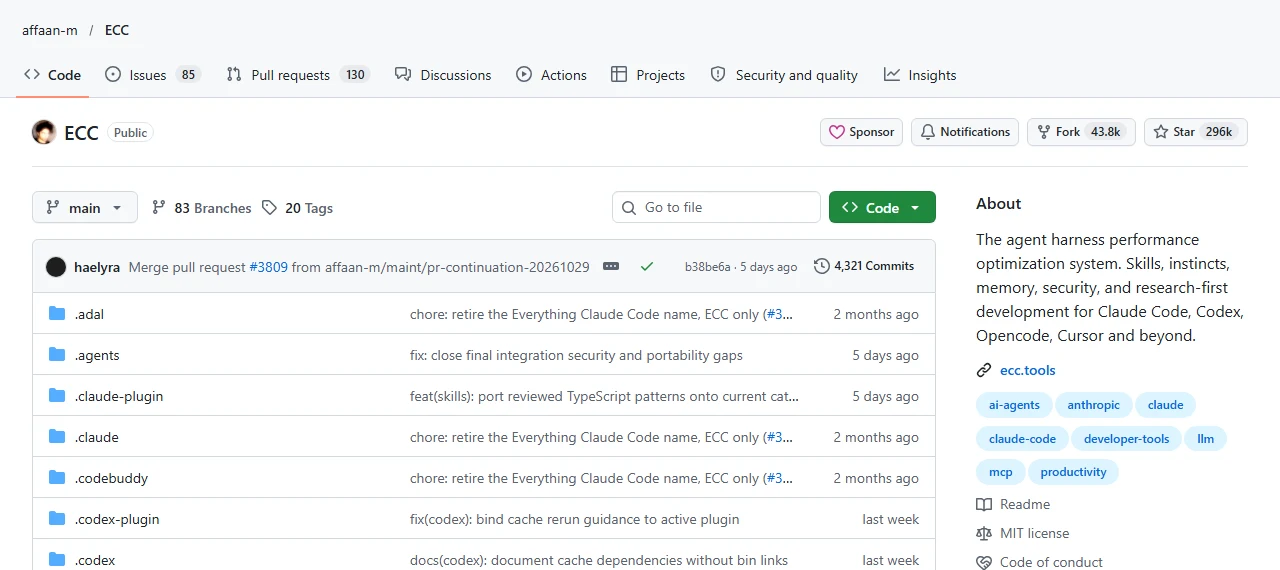
The README counts 71 agents, 314 skills and 98 commands. You only need the few that match your work. The parts, in plain terms:
| Part | What it does for you |
|---|---|
| Skills | Step-by-step routines Claude follows, like writing tests first or doing research. The main way you use ECC. |
| Agents | Helpers Claude hands one job to, like a planner, a code reviewer or a build fixer, so each starts with a clean head. |
| Hooks | Automatic checks that run when Claude edits or runs something, like warning about leftover debug lines or stopping risky delete commands before they run. |
| Memory | Saves a short summary of each session so you can pick up later, instead of keeping the whole chat. |
| Rules | Standards Claude always follows. You choose which ones, by language. |
| AgentShield | A scanner that checks your own setup (prompts, hooks, connected tools, permissions, stored keys) for security problems. |
Install: Pick One Way Only
The README is firm about this: both ways install the same thing, so choose one and don’t stack them.
Before you start: check three tools
~1 min
Run these in your terminal. Each should print a version number:
node --version
git --version
claude --versionYou need Node.js 18+, any Git, and Claude Code 2.1+. If one says “not found”, install it, open a new terminal, and check again before going on. The README says to fix missing tools first rather than rerun the setup.
Way 1. Guided setup (recommended)
~5 min
In your terminal (PowerShell on Windows):
npx ecc-universal@2.2.3 setupFor a normal personal setup, the README suggests choosing Global user, then Standard hooks, then confirm. Start a new Claude Code session and run /plugin list to check that ecc@ecc is on.
Way 2. Inside Claude Code
~2 min
Run Claude Code’s own plugin commands:
/plugin marketplace add https://github.com/affaan-m/ECC
/plugin install ecc@eccThis adds the skills, agents, commands and hooks. Rules aren’t included this way; the README shows how to copy only the rule packs you want.
Only the official sources
The README lists the GitHub repo, the Claude Code plugin ecc@ecc, the npm packages ecc-universal and ecc-agentshield, and ecc.tools. Hooks can run commands on your computer, so don’t install lookalikes.
Where to Start
The README’s advice: start with the job in front of you, not the whole catalog. A few starting points it lists:
| You want to | Type this in Claude Code |
|---|---|
| Plan a feature before building | /ecc:plan "describe the feature" |
| Get a fresh review of new code | /code-review |
| Fix a broken build | /build-fix |
| Save a long session to resume later | /save-session, then /resume-session |
| Check your setup for security issues | /security-scan |
Want It Lighter?
If you want the rules, agents and workflows without the automatic hooks, the README has a minimal profile:
npx ecc-universal@2.2.3 install --profile minimal --target claudeIf Claude feels slow or heavy afterwards, run /context-budget and remove rules you don’t use.
How to Remove It
If you used Way 1, run these from the same folder you installed from. The first shows what would be removed without touching anything:
npx ecc-universal@2.2.3 uninstall --dry-run
npx ecc-universal@2.2.3 uninstallIf you used Way 2, remove the ecc@ecc plugin from Claude Code’s /plugin menu, then delete any rule folders you copied by hand.
Per the README, ECC only removes files it recorded installing, so your own files stay. If you mixed both ways, remove the plugin first, then run the uninstall command.
Official Links
- affaan-m/ECC on GitHub (README, MIT license)
- Troubleshooting
- Security policy
FAQ
Is ECC free?
Yes. The repo is MIT-licensed. The paid ECC Pro is a separate hosted GitHub App for private repos, and you don’t need it to use ECC in Claude Code.
Do I have to learn 314 skills?
No. Start with one task, like planning or code review. Per the README, skills can also be suggested automatically when they fit.
Will it slow Claude down?
More loaded rules and tools use more of Claude’s working memory. Use the minimal profile or remove rules you don’t need, and check with /context-budget.
Can I undo it?
Yes. The uninstall command has a dry run that shows what it will remove first, and it only removes what ECC installed.
Did you test it?
Not yet. Everything here comes from the README for version 2.2.3, read on November 3, 2026.
Related
More free AI tools on our guides page, like Free Find #2: Agent Reach.
ECC by affaan-m and contributors, MIT: github.com/affaan-m/ECC