Last Verified: September 2026 — commands checked against Atlassian’s Rovo MCP server docs · real run October 2026
The spec is in Confluence. The ticket is in Jira. The code is in your terminal.
So every task in Claude Code starts with you copying a ticket and three pages of docs into the chat, and ends with you updating Jira by hand.
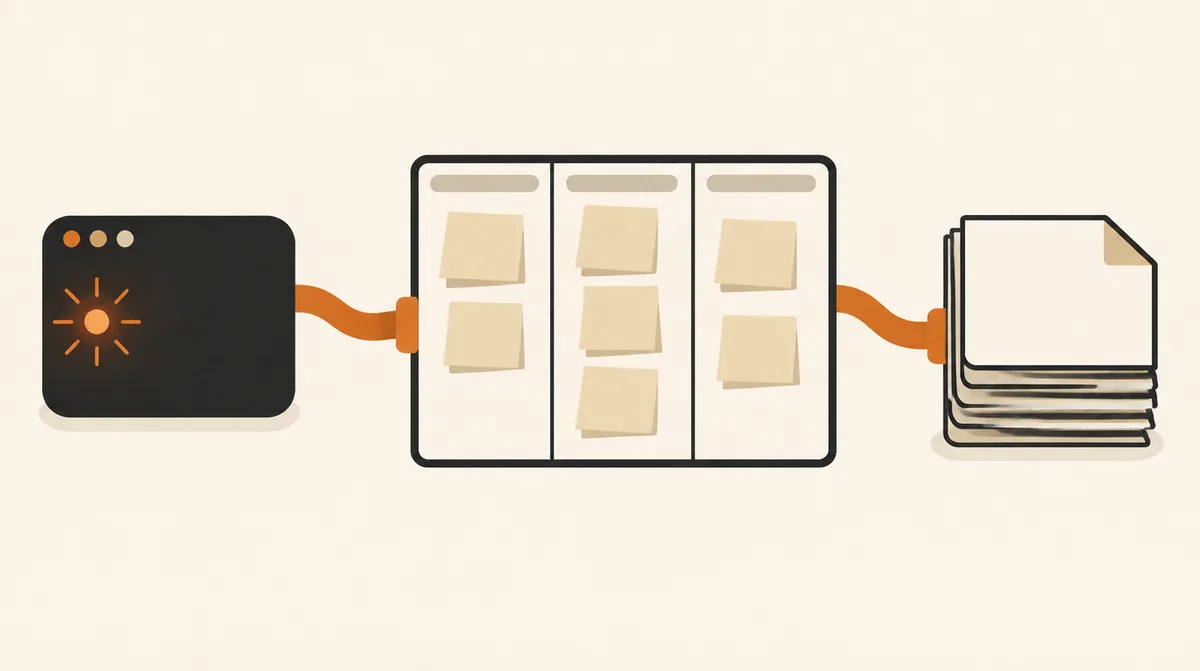
The Atlassian MCP server (Atlassian calls it the Rovo MCP server) is Atlassian’s official hosted server. It lets Claude Code search and read Jira issues and Confluence pages, and create or update them.
Setup is one command plus an OAuth sign-in, and the agent can only see what your own Atlassian account can see.
Using Linear instead of Jira?
See our Linear MCP setup.
How it works
Quick Start
Run this in your project folder:
claude mcp add --scope project --transport http atlassian https://mcp.atlassian.com/v2/mcpStart Claude Code, run /mcp, pick atlassian, and approve access in the browser.
Total time: about 1 minute. No API token needed.
⚡ Copy This Prompt: Let Claude Code Install and Verify It For You
Skip the manual steps below and hand the whole job to the agent instead:
You have shell access and the `claude mcp` CLI on this machine. Connect Atlassian's official MCP server (Jira + Confluence) to Claude Code for this project and report back. Do not tell me it's done unless step 4 actually confirms it:

1. Run `claude mcp list`. If an atlassian entry already exists, show me its URL and stop instead of adding a second one.
2. Run:
   `claude mcp add --scope project --transport http atlassian https://mcp.atlassian.com/v2/mcp`
3. Tell me to run `/mcp` in Claude Code, pick atlassian, and finish the Atlassian sign-in in my browser. Wait until I say it's done, then run `claude mcp list` and confirm atlassian shows Connected.
4. Tell me which Atlassian site(s) you can see, then list the 5 most recently updated Jira issues assigned to me with their keys and status. Don't create, edit, transition, or comment on anything.

Never ask me to paste an Atlassian API token into this chat. If any step fails, give me the exact error and the command that produced it. Do not skip ahead.The last step only reads, so you see what Claude can reach in Jira before it changes anything.
On this page (8 sections)
What You’ll Need
| Requirement | Why You Need It | Time |
|---|---|---|
| Claude Code installed | The client that calls the Atlassian tools | 0 min |
| An Atlassian Cloud account (Jira and/or Confluence) | The server acts as you, with your permissions | 0 min |
| A browser on the same machine | For the one-time OAuth sign-in | 0 min |
| Your admin not blocking it | Org admins can restrict which AI tools may connect | 0–? min |
Step-by-Step Setup
Prefer to do it by hand instead of delegating to the agent? Here’s the manual version.
Step 1 — Add the server
~10 sec
Use the v2 URL.
--scope project writes the entry to .mcp.json in your repo, so teammates get the same server and each signs in as themselves:
claude mcp add --scope project --transport http atlassian https://mcp.atlassian.com/v2/mcp
claude, approve it, then sign in with /mcp.Step 2 — Sign in with OAuth
~30 sec
Inside Claude Code, run /mcp, select atlassian, and authenticate. Approve access in the browser.
Your permissions, nothing more
OAuth 2.1 is the default, and every action runs with your existing Jira and Confluence permissions, nothing more.
Step 3 — If it’s blocked, ask the right admin
~varies
Org admins control this in Atlassian Administration > Rovo > Rovo MCP server.
They can limit which AI tool domains may connect over OAuth, and an IP allowlist also applies.
Sign-in works but tool calls fail?
If tool calls fail with a permission error about your IP address, that’s the allowlist, not your config.
What It Can Do
| Job | Example Ask | Changes Anything? |
|---|---|---|
| Read a ticket in full | “Summarize PROJ-123 with its comments, then find the code it’s about” | No |
| Pull in the spec | “Find the Confluence page for the billing redesign and list the open questions” | No |
| Search across both | “What Jira issues and Confluence pages mention the rate limiter?” | No |
| Create work items | “Turn these meeting notes into Jira issues in the WEB project” | Yes |
| Update and document | “Comment on PROJ-123 with what we changed and update the runbook page” | Yes |
Verify It’s Actually Working
claude mcp listWhat each status means (success is the green line):
! atlassian Needs authentication → run
/mcp and sign in (Step 2)✘ atlassian Failed to connect → check the URL has
/v2/mcp and the transport is http
Then ask for something only your workspace knows:
List my open Jira issues sorted by priority, with their keys, and tell me which one has gone longest without an update.Success check
If the keys and titles match what you see in Jira, it’s working.
Troubleshooting
| You see | What it means | Fix |
|---|---|---|
! atlassian Needs authentication | Added, but not signed in yet | Run /mcp and sign in (Step 2) |
✘ atlassian Failed to connect | Wrong URL or transport | Check the URL has /v2/mcp and the transport is http |
| Pending approval | Normal for a project-scoped server | Start claude, approve it, then sign in with /mcp |
| OAuth completes but tool calls fail | Your org’s domain or IP allowlist | Check the allowlist before debugging your config (Step 3) |
Common Mistakes to Avoid
Assuming there’s a read-only mode
Unlike Linear, Atlassian doesn’t offer a read-only endpoint. The agent can do anything your account can.
Keep manual approval on for create and update tools; a Claude Code hook can enforce it.
- Copying an old v1 URL. Some older configs still point at
/v1/mcp. Usehttps://mcp.atlassian.com/v2/mcp. - Forgetting it uses Rovo credits. Tool calls, especially search, draw from your org’s shared Rovo credit pool. Asking for a precise issue key costs less than “search everything about X.”
- Pasting an API token into chat or
.mcp.json. OAuth doesn’t need one. If you do need a token (see the Q&A), keep it in an environment variable or secret store. - Blaming Claude when your admin blocked it. If OAuth completes but calls fail, check the org’s domain or IP allowlist before debugging your config.
Q&A
Is it free?
The server comes with Atlassian Cloud, but tool calls use Rovo credits from your organization’s shared pool, the same one Rovo Chat and Agents use.
Which products does it cover?
Jira, Jira Service Management, Confluence, Bitbucket, and more, including Loom recordings.
Can I use an API token instead of OAuth, e.g. in CI?
Only if your org admin turns on API token authentication. Then send Authorization: Basic with base64 of email:api_token, or Bearer with a service-account key. Tokens aren’t tied to one site, so the client has to pass the site’s cloudId, and some tools aren’t available with tokens.
I set this up months ago with v1. Do I need to change it?
Move to the v2 URL now. Atlassian says v1 connections start using v2 tools automatically on March 1, 2027.
Does it work in Claude Desktop or claude.ai too?
Yes, as a connector. That connection is separate from the one in Claude Code.
Official Resources
- Get started with the Atlassian MCP server — endpoint, clients, credits
- Admin settings for the Rovo MCP server — domain allowlist, API token toggle
- Claude Code MCP docs —
claude mcp add, scopes, and OAuth with/mcp
If this guide got Claude Code reading your Jira tickets and Confluence specs instead of you pasting them in, follow us on X for more setup guides and prompt tips.