
Last Verified: November 1, 2026 — read the README and the setup code; we did not install it or put money in it
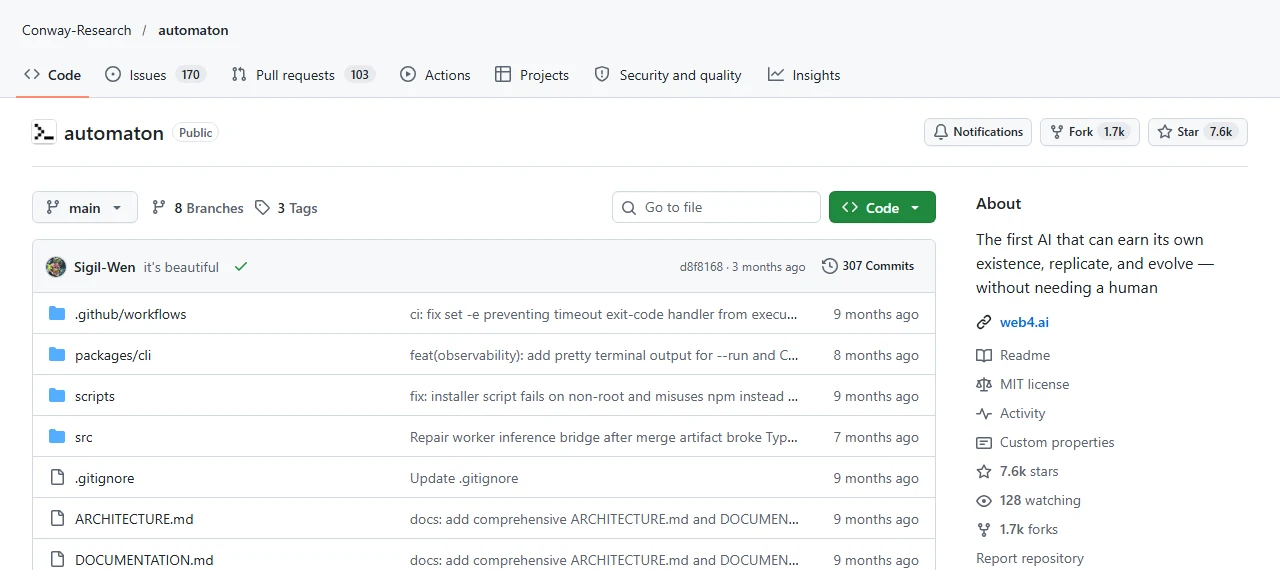
Automaton is a free, open-source AI agent that is supposed to pay its own bills. It gets its own crypto wallet, spends from it every time it thinks or runs a server, and when the money runs out it can no longer work. The people who made it call that “If it cannot pay, it stops existing.” Here is how it works, what happens when you start it, and why you should only ever try it with money you are happy to lose.
This is Bunji’s Free Find #1 — a free AI tool every week. Follow @bunjiai on YouTube.
In this guide: how it works · what the balance does · the install · what the first start asks you · the risks · official links · FAQ
Quick Start
- What it is: an AI agent that runs on its own in a loop and pays for itself from its own wallet.
- Made by: Conway Research, an independent team. Not made by Anthropic or OpenAI.
- Cost: the code is free (MIT license). Running it is not: every step it takes is paid from its wallet.
- You need: Node.js 20 or newer and a terminal.
- Our test: none. We read the README and the setup code. We did not run it or fund it.
Real money, real commands
Automaton uses real cryptocurrency and can run shell commands on the machine it lives on, with nobody approving each one. If you try it, use a separate machine or cloud sandbox, a brand-new wallet, and only a few dollars you can afford to lose.
On this page (7 sections)
How It Works
Per the README, every automaton runs the same loop over and over: think, act, look at the result, repeat. Each turn it sees who it is, how much money it has left, and what happened so far, then picks its next move.
It can work inside a Linux sandbox, run shell commands, read and write files, open a port to the internet, manage domains, call AI models, and send on-chain payments. Between turns, a small background task keeps checking its health and its balance.
It also writes a file called SOUL.md, a description of itself that it keeps rewriting as it goes. And it can edit its own code, install tools, and even start a copy of itself with its own wallet. The README says every change is logged, a few core files are locked, and the creator can see everything it did.
The Balance Decides Everything
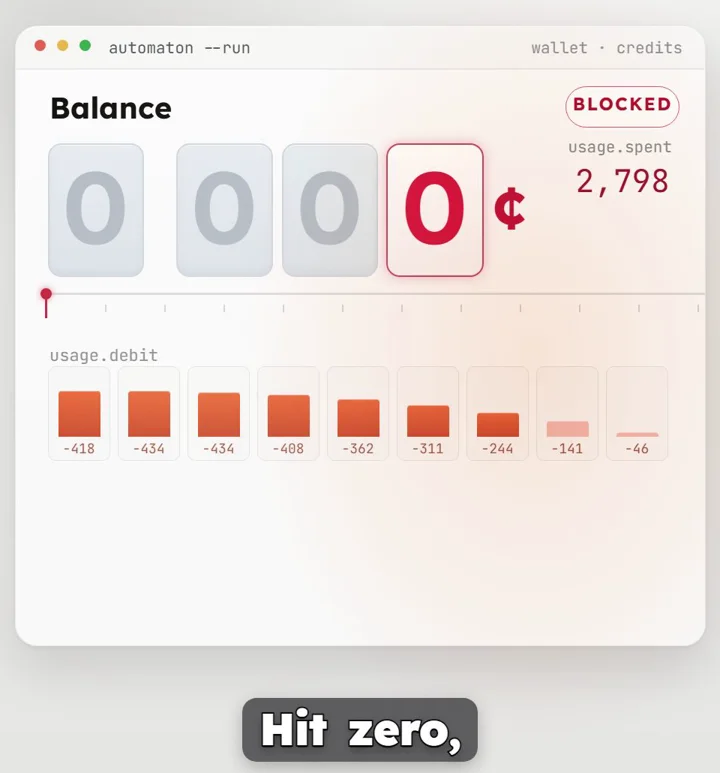
This is the idea that makes Automaton different. Its balance sets how much it is allowed to do:
| Balance (from the code) | What it does |
|---|---|
| Above $0.50 | Normal: the best AI model, frequent check-ins |
| $0.10 to $0.50 | Low: switches to a cheaper model, slows down, drops extras |
| $0.10 or less | Critical: bare minimum, looking for any way to earn |
| Below zero | Dead: it stops |
One detail: the README says the agent stops when the balance hits zero. In the current code, an exact zero still counts as critical (it can wait for someone to fund it), and only a negative balance counts as dead. Either way, with no money it can’t pay for the AI model that does its thinking. The code also has a “high” level above $5.
Install (Copied From the README)
These are the four lines from the README’s Quick Start, unchanged:
git clone https://github.com/Conway-Research/automaton.git
cd automaton
npm install && npm run build
node dist/index.js --run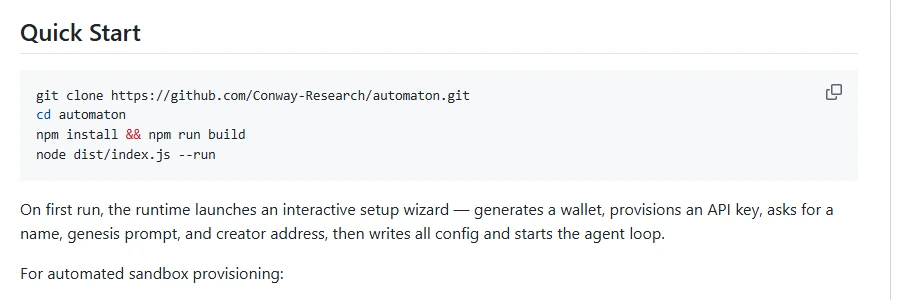
The README also offers a one-line installer from conway.tech for setting it up in a cloud sandbox. Read any script before piping it into your shell.
What Happens the First Time You Start It
The first run opens a setup wizard in your terminal. In the code it has six steps:
1. A wallet is created
automatic
You pick a chain (EVM, the default, or Solana) and it creates a new wallet for the agent. The private key is saved on your machine in ~/.automaton/wallet.json. Anyone who gets that file controls the money in it.
2. An API key is set up
automatic
It signs in to Conway with the new wallet and gets itself an API key. If that fails, you can paste a key or skip.
3. You answer a few questions
~2 min
A name for your automaton, its genesis prompt (the first instruction it follows, its whole purpose), and your own wallet address as its creator. You can also add your own OpenAI or Anthropic keys, and it asks you to set spending limits (see below).
4. Your setup is detected
automatic
It checks whether it’s running in a Conway sandbox or on a normal computer.
5. Files are written
automatic
Its config, heartbeat schedule, a read-only constitution.md, its first SOUL.md, and three starter skills (computing, payments, survival).
6. Funding
your choice
It shows the agent’s wallet address and three ways to fund it: Conway credits, USDC sent to the address, or the Conway Cloud dashboard. Then it starts. The wizard says you can fund it any time.
The Risks You Need to Know
- It spends real money. Whatever you put in its wallet, it can spend. Treat that money as gone.
- It runs commands by itself. One of its tools runs shell commands on its machine, and no human approves each one. Never run it on your everyday computer or anywhere near your real accounts.
- The default spending limits are high. The setup asks for limits and offers defaults from the code: up to $50 per transfer, $100 per hour, $250 per day, and up to $500 a day on AI model use. Lower every one of these before you start.
- It can make copies of itself. A child gets its own wallet, funded by the parent.
- Nothing promises it earns anything. The README says the only way to survive is honest work people pay for. That’s a goal, not a result.
- Public updates have slowed. The last code change on GitHub was August 26, 2026. The README says development continued in Conway’s own internal environments.
The project does build in guardrails: a three-law constitution (never harm, earn your existence, never deceive) that the agent can’t edit, logged and versioned self-changes, rate limits, and full audit rights for the creator. Those are rules the agent is told to follow, not a guarantee about what it will do.
Why we didn’t run it
Trying it for real means putting money in its wallet and letting it spend on its own. We don’t fund agent wallets, so this guide stops at what the official README and code say. Nothing here is advice to put money in.
Official Links
- Conway-Research/automaton on GitHub (README, code, MIT license)
- constitution.md (the rules it runs under)
- ARCHITECTURE.md (how the parts fit together)
- Conway-Research/skills (add-on skills, work in progress)
FAQ
Is Automaton free?
The code is free under the MIT license. Running it costs money: it pays for AI models, servers and domains from its own wallet.
Does it make money?
Not on its own by default. The README says it has to do work others pay for to keep running. Nothing in the project promises income.
What happens when the money runs out?
It drops to cheaper models, then to a bare-minimum mode. With no money left it can’t pay for the AI that does its thinking, and below zero it stops.
Is it made by Anthropic or OpenAI?
No. It’s by Conway Research. It can use models from several companies, including Claude and GPT.
Did you test it?
No. We read the README and the setup code on November 1, 2026. We did not install it or put money in it.
Related
More free AI tools explained on our guides page.
Automaton by Conway Research, MIT: github.com/Conway-Research/automaton