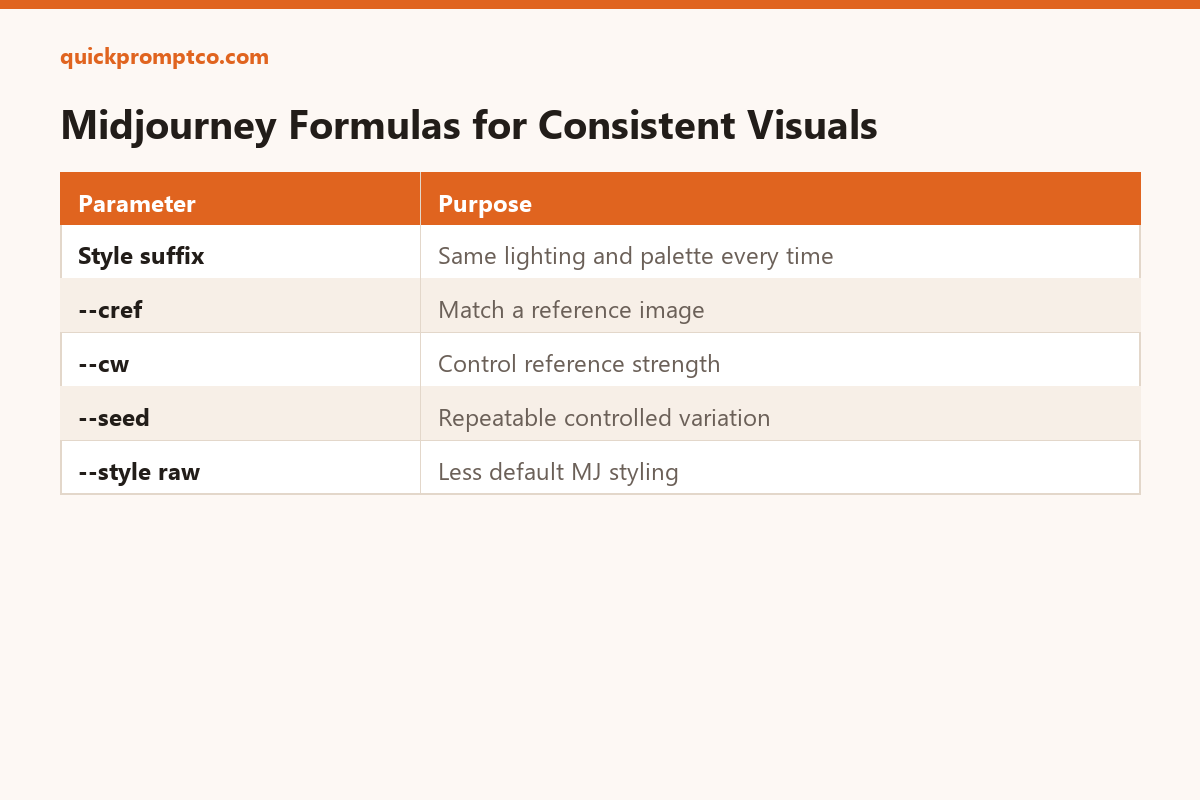
New to Midjourney? Start with the beginner’s cheat sheet for the basic prompt formula, then come back here once you’re generating a consistent set.
If every image you generate for the same brand or project looks like it came from a different artist, that’s a prompt structure problem, not bad luck. Consistency comes from locking down the parts of the prompt that shouldn’t change between generations.
1. Build a reusable style suffix
[your subject description], soft studio lighting, muted earth-tone palette, shot on 50mm lens, shallow depth of field, minimalist composition --ar 4:5 --style raw
Keep everything after the subject identical across every prompt in the set — that’s what creates the “same photographer” feel.
2. Lock lighting and composition keywords
Pick one lighting description (e.g. “soft studio lighting” vs. “golden hour” vs. “harsh flash”) and one composition style, and reuse the exact same wording every time. Swapping synonyms between generations is what breaks consistency the most.
3. Use --cref to reference an existing image
[new subject description] --cref [URL of a previous approved image] --cw 80
This tells Midjourney to match the character or style of a reference image instead of starting from nothing each time.
4. Save your working parameters as a preset
Once a combination of aspect ratio, style weight, and stylize value gives you results you like, write it down as a reusable block you paste at the end of every prompt — don’t rebuild it from memory each session.
5. Use a fixed seed for controlled variation
[your prompt] --seed 12345
A fixed seed makes small prompt edits produce comparable variations instead of a completely different image each time — useful for testing one change at a time.
Why this works
Midjourney doesn’t know your brand — it only knows what’s in the prompt. Every word you leave inconsistent between generations is a variable the model is free to change.
Leave a Reply