
Last Verified: October 22, 2026 — we installed anatomy into a test project and ran the README’s own example prompt once in Claude Code 2.1.309 (Opus 5.5) on Windows 11. Every capture on this page is from that run
Ask Claude how a token bucket rate limiter works and you get a good wall of text. anatomy is a free Claude skill that answers the same question differently: it designs a small machine whose working is the idea, builds it out of dozens of shaded parts, and hands you an HTML page you can click. We asked both versions the same sentence, on the same day, to see what the difference actually looks like, and what it costs.

Measured by us · October 22, 2026
Windows 11 laptop, Claude Code 2.1.309, model Opus 5.5, Node 24.18.1. anatomy installed per project with the skills CLI into a test folder. One run of the README’s example prompt: /anatomy explain how a token bucket rate limiter works, interactive.
| What we measured | Result |
|---|---|
| Time for one figure | 18 min 26 s (1,106 s), 47 turns, finished without errors |
| What it made | A token bucket machine of about 70 parts: an 8-coin rack, a crank that refills 0.5, 1 or 2 per second, and allowed / rejected counters. Light and dark HTML pages, no dependencies |
| Output tokens | 88,601, of which 59,700 were thinking |
| Input read from cache | 5.0 million tokens (plus 195,016 written to cache) |
| Plain Claude, same sentence | A text explanation and a quiz question. No figure |
| 12 clicks on the finished machine | 9 allowed, 3 rejected in our recorded run; 8 and 4 on a second try |
One run, one prompt, so treat the time as an example, not an average. Token counts come from the session’s own JSON log. The log also printed a list-price estimate of $4.33; what you actually pay depends on your plan (on a subscription it counts against your usage limit instead).
Quick Start
- What it is: a Claude Code skill (a folder with a
SKILL.md) that turns an explanation into an interactive isometric figure: SVG, optional WebGL effects, and a 3D mode in beta. - Who made it: Ryan (GitHub
wheresryan22). Not made by Anthropic. - Cost: free, MIT license. No API keys. About 19,000 GitHub stars two weeks after release (19,072 on October 22, 2026). You still pay for the Claude usage, and one figure is a long session.
- Needs: Node.js 20.10+ and Chrome or Chromium (for its self-checks). The skills CLI itself asks for Node 22.20+ (from CLI version 1.7.1, per the README).
Install for one project (run in that project’s folder), then ask in Claude Code:
npx skills add wheresryan22/anatomy -a claude-code/anatomy explain how a token bucket rate limiter works, interactiveOn this page (9 sections)
Same Question, Two Answers
First we sent the sentence to plain Claude Code with no skill installed, in an empty folder: claude -p "explain how a token bucket rate limiter works, interactive". It read “interactive” as “let’s make it a quiz”: a clear explanation, then a question for you to answer.
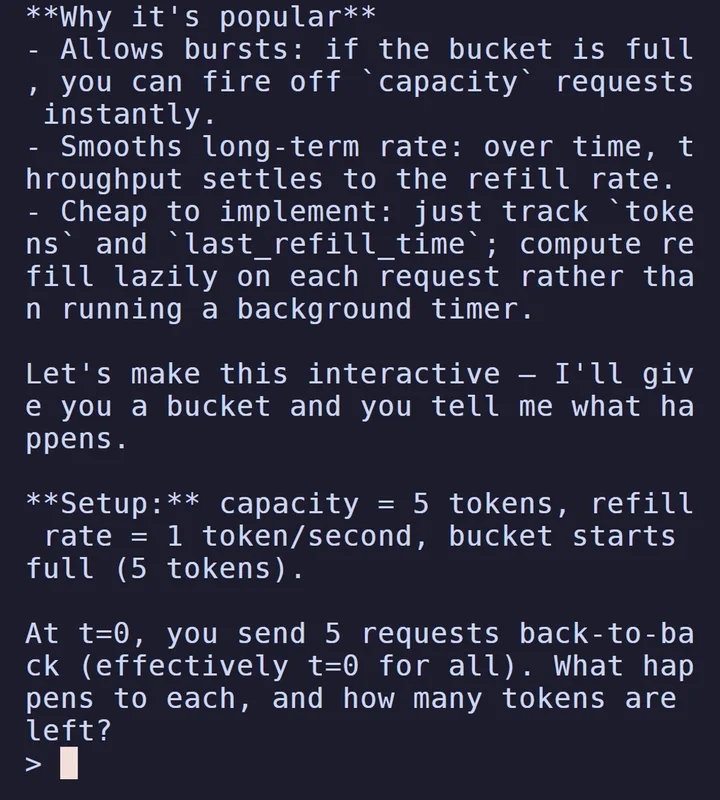
Then the same sentence with /anatomy in front, in a folder with the skill installed. Eighteen minutes later there was a page with a machine on it:

| Plain Claude | With /anatomy | |
|---|---|---|
| What you get | Text in the terminal | An HTML page you open in a browser |
| “Interactive” means | A quiz question | Click to send requests, hold for a burst, arrow keys change the refill rate |
| Time | One normal reply | 18 min 26 s in our run |
| Good for | Learning it now | Showing it to someone: a doc, a talk, a team wiki |
Neither answer is wrong. The text answer is the faster way to learn the idea yourself. The figure is the thing you would put in front of other people, because they can break it: click faster than the crank refills and the reject counter starts moving.
How the Machine Explains It
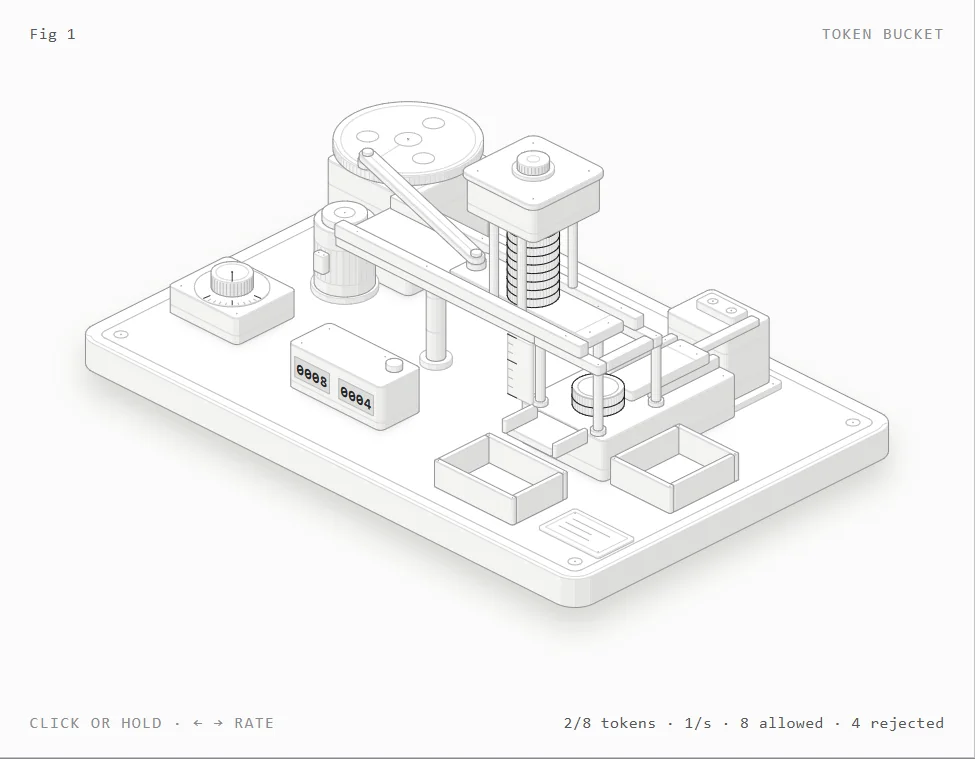
Each coin is one token. The rack holds at most 8. A motor turns a flywheel, and each turn pushes one coin in; if the rack is full, the coin slides past into a spill tray, which is the textbook “the bucket can’t overflow” rule made visible. Each click fires an ejector under the rack: a coin there means the request goes to the allowed bin, an empty rack means the reject counter goes up. The readout in the corner is driven by the same small model that moves the parts, which the README promises for every figure.
That is also why click tests give different numbers. In the run we recorded for the Short, 12 clicks gave 9 allowed and 3 rejected. Re-shooting the captures, 12 clicks 150 ms apart gave 8 and 4. The skill’s own self-check, in its final message, reported 6 and 6. The split depends on how many coins were banked when you started and how fast you click against a refill of 1 per second, which is exactly the lesson the figure is there to teach.
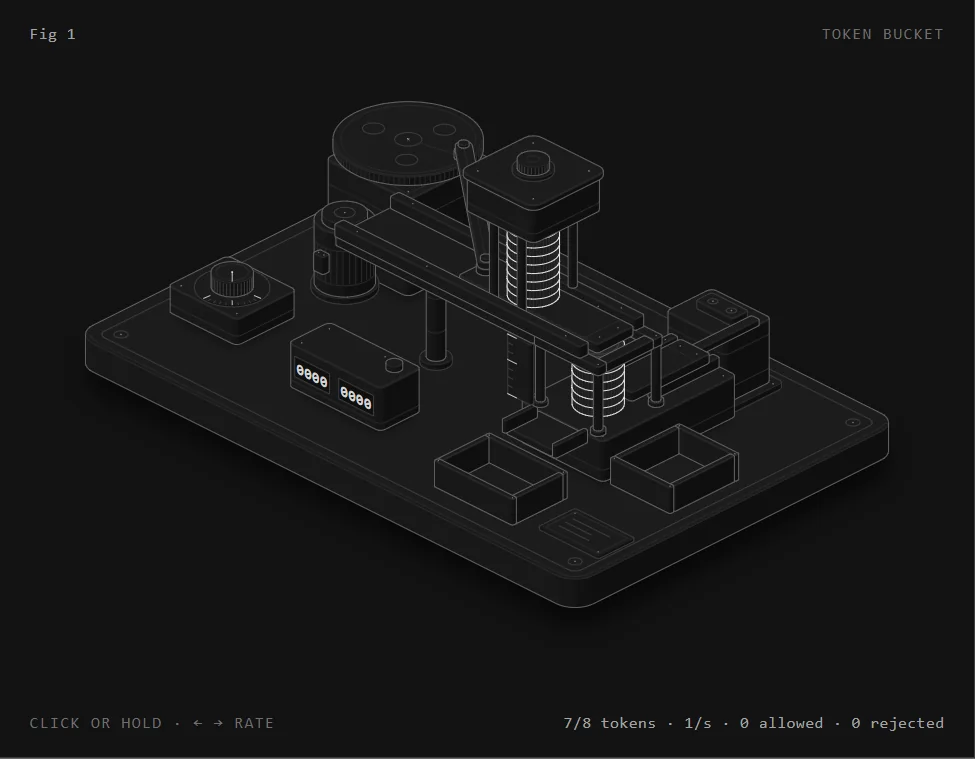
Claude also reported what it did during those 47 turns: it checked both themes for console errors, checked that every line in the drawing ends on a part, took close-ups and a slowed-down contact sheet, and fixed two bugs (fast clicks being dropped instead of rejected, and the count briefly reading 0 mid-stroke). We didn’t re-verify each of those claims; the finished page worked in Chrome for us in both themes.
The Catch: It Is Slow, and That Is the Design
The README says it plainly in its Limits section: “It is slow on purpose. A figure takes a long session.” Ours took 18 minutes and 26 seconds for a single-mechanism figure. Claude’s own summary estimated “roughly 20 minutes”. Per the README, that time goes into the parts list, the geometry, an audit, and close-ups of every joint in both themes.
Before you run it
- It uses a lot of tokens. Our one figure: 88,601 output tokens and 5.0 million cache-read input tokens. On a subscription that is a real bite out of your usage window; on the API, the log’s list-price estimate was $4.33.
- Not everything has a mechanism. It draws machines, instruments, tools and furniture, not people or exact maps, and it isn’t a chart library (no axes or data plots), per the README.
- 3D mode is beta. The README says it has been proved on its example and one test figure. We only tried the default SVG figure.
- Skills run with your agent’s permissions. The installer says so itself: review the folder before you use it.
Our advice: run it once on something you’d actually show people, in a project folder, and decide from that one figure whether the wait is worth it for you.
Step 1. Install
For one project (what we did)
~1 min
In a terminal, inside the project folder:
npx skills add wheresryan22/anatomy -a claude-codeThe skill lands in .claude/skills/anatomy inside that folder only. Our install finished with “Installed 1 skill”. The CLI copies the whole repository, examples included (about 10 MB, per the README).
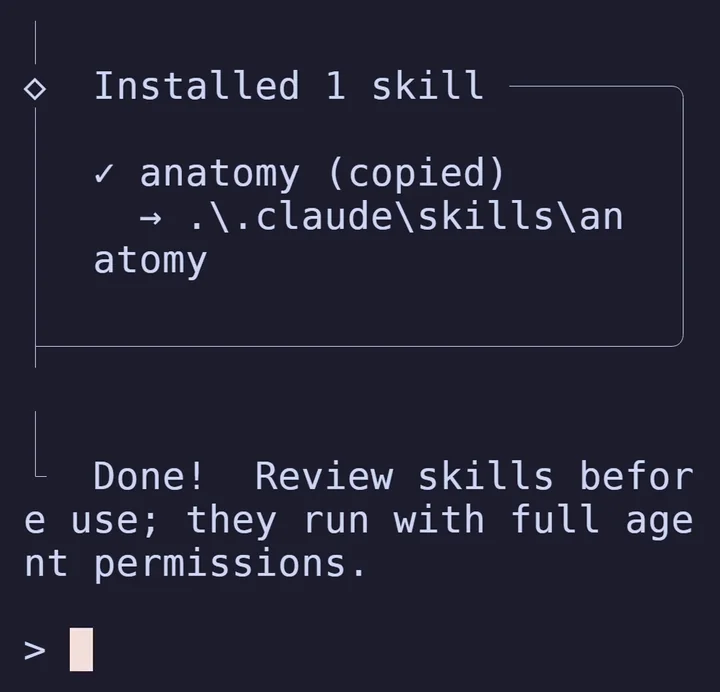
-y --copy to skip the prompts): one skill copied into the project’s .claude\skills folder, and the CLI’s reminder to review skills before using them.Or: for every project
~1 min
Adds it to ~/.claude/skills/anatomy for your user. It doesn’t edit settings.json:
npx skills add wheresryan22/anatomy -g -a claude-codeOr: with git
~1 min
No skills CLI needed. Clone it straight into a skills folder:
git clone https://github.com/wheresryan22/anatomy.git .claude/skills/anatomyStep 2. Ask for a Figure
Start Claude Code in the folder and type /anatomy followed by the idea. The README’s example is the one we used:
/anatomy explain how a token bucket rate limiter works, interactiveThen leave it. When it finishes, it tells you which file to open (ours was token-bucket/token-bucket.html, plus a light version) and how to rebuild it with node build.mjs. The page works by double-clicking it; nothing needs a server.
Ideas that suit it are ones with moving parts: a cache, a queue, a lock, a load balancer, a rate limiter. An idea with no mechanism, per the README, “will come out weaker”.
How to Remove It
From the same folder you installed it in (flags checked against npx skills remove --help, skills CLI 1.7.4):
npx skills remove anatomy -a claude-codeInstalled it for your user with -g? Add -g to the remove command too. Installed with git? Delete the anatomy folder from .claude/skills (or ~/.claude/skills). Figures it already built are ordinary files in your project and stay where they are.
License
anatomy is under the MIT license: free to use, change and share, including commercially. The figures it builds are source you own: a Node build script and the page it writes.
FAQ
How long does one figure take?
Ours took 18 minutes 26 seconds for one figure with one mechanism. The README calls it “slow on purpose” and says a full 3D orbit audit alone takes 15 to 20 minutes for a 30-part figure. Plan for a long session, not a quick answer.
Does it cost money?
The skill is free (MIT) and needs no API key. The Claude usage isn’t free: our one figure used 88,601 output tokens. On a subscription it counts against your limit.
Can it draw anything?
No. It draws machines, instruments, tools and furniture, not people or exact maps, and it isn’t for charts. Ideas with a mechanism work best.
Is the result a picture or code?
Code. You get an HTML page plus the Node build script that writes it, so you can change it or rebuild it. It can also output React components, per the README.
Is it made by Anthropic?
No. It’s an independent, MIT-licensed skill by Ryan (wheresryan22) on GitHub.
Sources
- wheresryan22/anatomy README (what it makes, install, requirements, limits), read from our installed copy on October 22, 2026
- anatomy LICENSE (MIT)
- Our run: October 22, 2026, Claude Code 2.1.309, session log and both HTML pages kept on file
anatomy by Ryan (@wheresryan22), MIT: github.com/wheresryan22/anatomy. Example images from the repository are not used on this page; every capture is from our own run.