
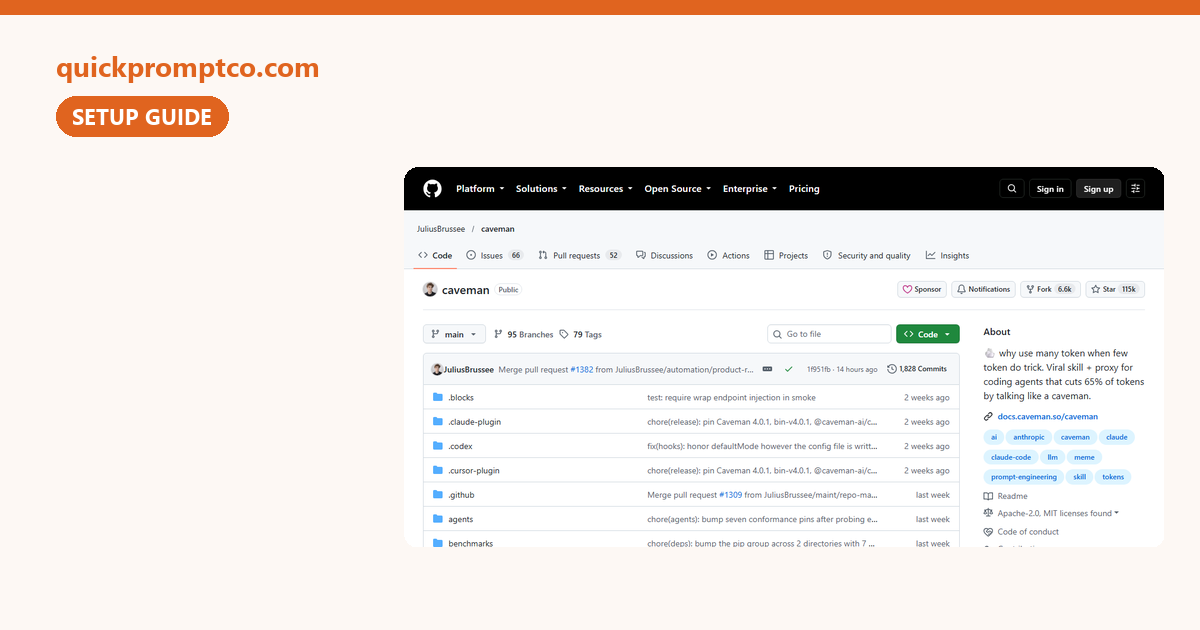
Last Verified: October 21, 2026 — read from the caveman README and INSTALL.md (v4.0.1). Not installed by us; every number below is the project’s own
Ask Claude a simple question and you often get a paragraph: a recap, a “the reason is likely because”, an “I’d recommend”. Caveman is a free, open-source add-on that tells your coding agent to answer first, in short sentences, and leave code, commands and error messages exactly as they are. Its tagline: why many token when few do trick.
This guide covers what it actually changes, the numbers the README reports (and what they don’t mean), three ways to install it, the commands, and how to take it back out.

In this guide: Quick Start · the 63 vs 20 example · what the tests say · Step 1 pick an install · Step 2 use it · what changes on your machine · how to remove it · honest limits · FAQ
Quick Start
- What it is: a skill (the caveman voice) plus an optional local CLI that also shrinks what the agent reads. Works with Claude Code, Codex, Gemini CLI, OpenCode and 30+ other agents, per the README.
- Who made it: Julius Brussee, an independent developer. Not made by Anthropic.
- Cost: free, Apache-2.0 license. Over 114,000 GitHub stars (October 21, 2026).
- Heads-up: the full install changes your agents’ settings. If you only want shorter answers, use the skill-only install in Step 1.
The one-command install from the README (needs Node.js 22.13+):
npx @caveman-ai/cli@latest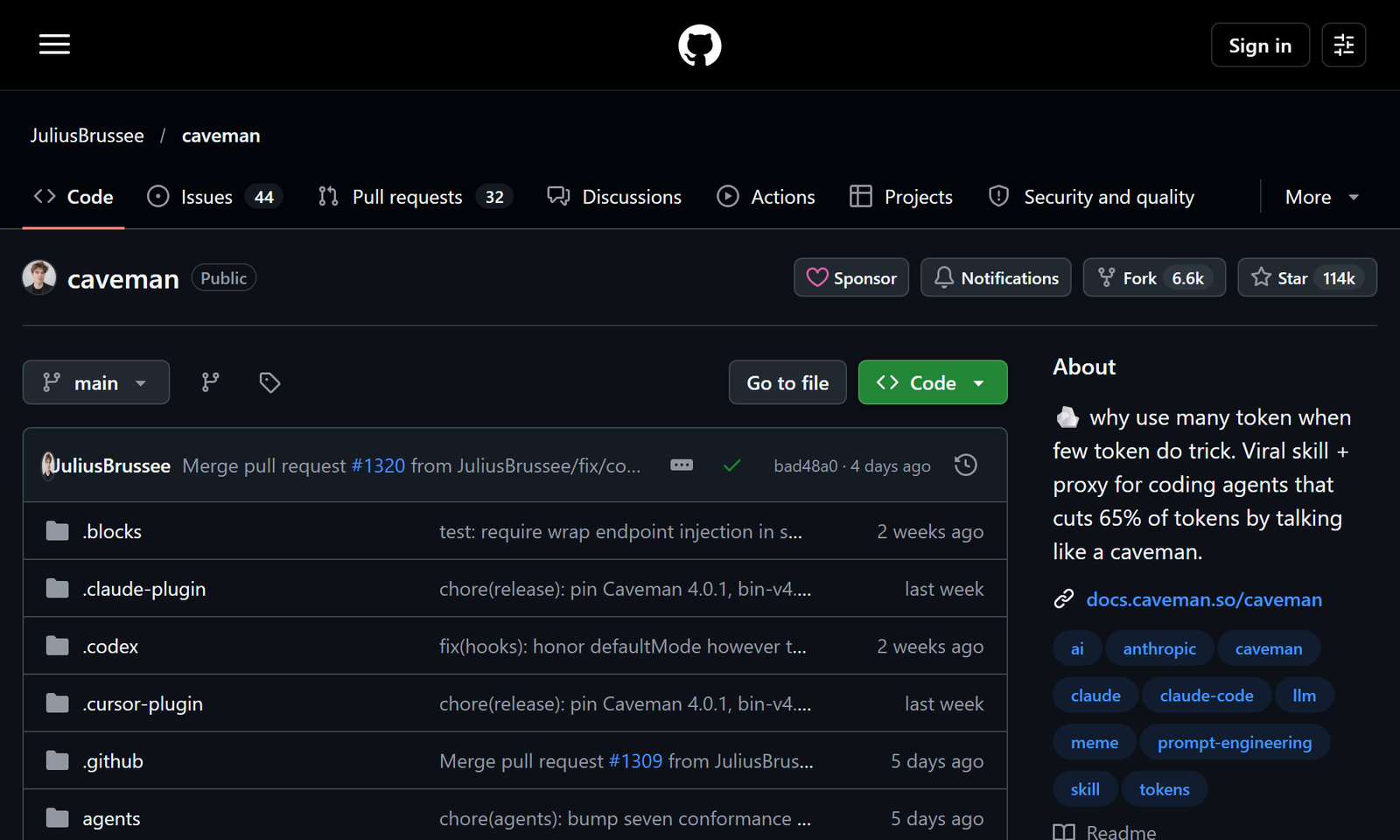
On this page (11 sections)
The 63 vs 20 Example
This is the README’s headline example: the same React re-render question, answered by a normal agent and by caveman.
| Normal agent · 63 tokens | Caveman agent · 20 tokens |
|---|---|
| The reason your React component is re-rendering is likely because you’re creating a new object reference on each render cycle. When you pass an inline object as a prop, React’s shallow comparison sees it as a different object every time, which triggers a re-render. I’d recommend using useMemo to memoize the object. | New object ref each render, so React re-renders. Wrap the prop in useMemo. |
Same fix (useMemo), about a third of the tokens. The README also shows two stronger modes on the same answer:
| Mode | Same answer | Tokens |
|---|---|---|
/caveman | New object ref each render, so React re-renders. Wrap the prop in useMemo. | 20 |
/ultracave | Inline object prop, new ref, re-render. useMemo. | 14 |
/megacave | Classical Chinese (文言文) version | 13 |
Token counts are the README’s, measured with tiktoken o200k.
63 to 20 is one example answer, not your bill
It shows how one reply shrinks. It is not a measured saving across a whole session, and it doesn’t mean your usage limit lasts three times longer. For whole-session numbers, see the next section.
What the Tests Say
The README lists outside tests first. The one most people quote is JetBrains:
| Who | Setup | Result (as reported in the README) |
|---|---|---|
| JetBrains | 86 real coding tasks, paired A/B | No measurable quality loss (p = 0.82). 8.5% fewer output tokens |
| Elastic (Elasticsearch Labs) | Caveman mode remade for Elasticsearch, 8 live MCP scenarios | 63.6% fewer response tokens |
| Adobe Research (CAVEWOMAN paper) | Caveman-style output, 8 models, 5 datasets | Cost cut 1.4 to 2.4× per model |
Read the JetBrains row closely: real agent sessions are mostly code and tool calls, which the voice leaves alone, so the measured output saving was 8.5%, not two-thirds. The README says that finding is why caveman later added parts that shrink what the agent reads (logs, JSON, test output) instead of only what it says.
The README is also upfront about the baseline: on ten dev questions, plain Answer concisely. already cut output from 6,983 to 4,334 tokens, and /caveman took it to 4,119 (about 3% more at the median). /ultracave went to 2,693. It keeps a page of every case where caveman loses.
The Voice Rules
Caveman isn’t broken grammar. Each reply follows the same rules (from the README):
| Rule | What it means |
|---|---|
| Answer first | No greeting, no “let me”, no recap |
| One idea per sentence | Based on ASD-STE100, the controlled English of aircraft manuals: 20 words max, active voice |
| Meaning never dropped | Articles can go; not, never, no, only never go. Numbers and units stay exact |
| Payload verbatim | Code, commands, paths and error messages untouched, character for character |
| Knows when to stop | Security warnings, irreversible actions and confused users get full sentences |
| Your prompts stay yours | It never rewrites what you type |
Step 1. Pick an Install
Three options, from lightest to fullest. All commands are copied from the README.
Option A. Skill only (just shorter answers)
~1 min
Adds the caveman voice and nothing else: no proxy, no account, no settings rewrite.
npx skills add JuliusBrussee/caveman -gType /caveman if it doesn’t start on its own. Say stop caveman to go back to normal replies.
Option B. Claude Code plugin
~1 min
Per the README, the plugin auto-starts in every interactive session, subagents too. From your terminal:
claude plugin marketplace add JuliusBrussee/caveman && claude plugin install caveman@cavemanOr, already inside Claude Code, type these where you talk to Claude:
/plugin marketplace add JuliusBrussee/caveman
/plugin install caveman@cavemanRestart Claude Code afterwards: hooks are read once at session start.
Option C. Full install (all six parts)
~1 min
The README’s main install. It finds the agents and logins on your machine, shows what it will change, and waits for Enter. Mac, Linux and Windows; needs Node.js 22.13+.
npx @caveman-ai/cli@latestAfter that, plain claude stays in caveman mode, and so do Codex, Gemini CLI and OpenCode if you have them. Had caveman before 4.0? Keep the @latest, or the old copy on your machine wins.
Read the change list before you press Enter
Per the repo’s INSTALL.md, the full install can write hook entries and a statusline badge into ~/.claude/settings.json, add hook files under ~/.claude/hooks/, and, when it routes Claude Code through its local proxy, set ANTHROPIC_BASE_URL in that same file. While it’s routing, Claude Code Remote Control is unavailable. If you already point ANTHROPIC_BASE_URL at your own endpoint, it leaves Claude Code alone and says why.
Work laptop or a setup you can’t afford to break? Start with Option A.
The Six Parts (Full Install)
Version 4.0 splits caveman into six parts. All are on after the full install, and each has its own switch.
| Part | What it does |
|---|---|
| Say less | The short voice above |
| Read less | Logs, JSON, CSV and test output shrink before the model reads them; originals stay on your disk |
| Auto | Picks the model and effort per ask. Needs a free Caveman account and sends your latest ask to Caveman Cloud (see Privacy) |
| Blocks | Keeps scripts the agent writes so it can reuse them (pre-release) |
| Waste fixes | Finds where your tokens go |
| Browse | Returns web pages to the agent compressed |
# what is on, and which agents it reaches
caveman status
# turn one part off
caveman off browseStep 2. Use It
Inside your agent:
| Command | What it does |
|---|---|
/caveman · /ultracave · /megacave | The voice, shorter, shortest. /caveman off stops it |
/caveman status | Shows the current mode |
/caveman-commit | One-line Conventional Commit message |
/caveman-review | Code review, one finding per line |
/caveman-compress <file> | Shrinks memory files like CLAUDE.md and backs up the original |
/caveman-stats | Real token usage for this Claude Code session |
/caveman-help | Every mode and command on one screen |
In your terminal (full install only):
# start Claude Code on caveman
caveman claude
# A/B a real session on your own work
caveman trial -- claude
# your token history
caveman stats
# one problem per line, with its fix
caveman doctorMeasure it on your own work
The README’s numbers come from its own test sets. caveman trial -- claude runs an A/B on your real session, and /caveman-stats shows what this session actually used. That’s the number that matters for you.
How to Remove It
Match the removal to how you installed it:
| You installed | Remove with |
|---|---|
| Option A, skill only | npx skills remove JuliusBrussee/caveman -g |
| Option B or C (plugin, full install) | The uninstall command below |
| On npm 12 or newer | Add --allow-git=root to the uninstall command below |
npx -y github:JuliusBrussee/caveman -- --uninstallPer INSTALL.md: run that before npm uninstall -g @caveman-ai/cli, because it needs the caveman CLI to undo agent routing. It restores your previous ANTHROPIC_BASE_URL, removes caveman’s hook entries and hook files, and removes the Claude Code plugin. It does not remove skills added with npx skills add (use the first row) or your lifetime stats file ~/.claude/.caveman-history.jsonl (delete it by hand if you want).
Just want normal replies for a moment? Say stop caveman or type /caveman off; nothing is uninstalled.
Privacy
- The skill runs on your machine and sends nothing, except
/caveman-compress, which sends the file you compress to your model provider. - The CLI sends usage stats by default (commands run, token counts, a random install ID, OS and IP; never prompts, code or file paths). Turn it off with
caveman telemetry offorDO_NOT_TRACK=1. - Auto, only once you sign in and pick it, sends your latest ask (with what your agent attaches, such as CLAUDE.md) to Caveman Cloud.
caveman off routingstops it.
Summarized from the README’s Privacy section; full list in SECURITY.md.
Honest Limits
- Shorter answers aren’t fewer total tokens by the same amount. Most of an agent session is code, tool calls and file reads; JetBrains measured 8.5% fewer output tokens.
- The rules cost input. The README puts the voice rules at about 1,160 input tokens.
- Pay per request? On plans billed per request (the README names GitHub Copilot), shorter answers save nothing.
- “Be concise” is already close. On the README’s ten-question test,
/cavemanbeat a plain “Answer concisely.” by about 3% at the median;/ultracavedid more. - Not tested by us. This page is a guide to the official repo; we haven’t run caveman on our own machines.
FAQ
Is caveman free?
Yes. It’s Apache-2.0 open source. Only the Auto part needs an account, and the README says that account is free.
Does it make Claude dumber?
In JetBrains’ 86-task paired test, the README reports no measurable quality loss (p = 0.82). Code, commands and error messages are kept character for character, and warnings get full sentences.
Will it fix my usage limit?
Don’t count on it. The 63-to-20 figure is one example reply; the JetBrains session test measured 8.5% fewer output tokens. Check your own numbers with /caveman-stats.
Does it change my prompts?
No. The README says caveman never rewrites what you type, because research found that cavemanning the prompt makes answers worse.
Can I turn it off without uninstalling?
Yes: stop caveman, /caveman off, or caveman off <part> for one part of the full install.
Sources
- JuliusBrussee/caveman README (examples, test table, install, commands, privacy)
- caveman INSTALL.md (what the installer writes, uninstall)
- JetBrains AI blog (the 86-task A/B, as cited in the README)
Caveman by Julius Brussee, Apache-2.0: github.com/JuliusBrussee/caveman. “Caveman” and the rock logo are trademarks of Julius Brussee.