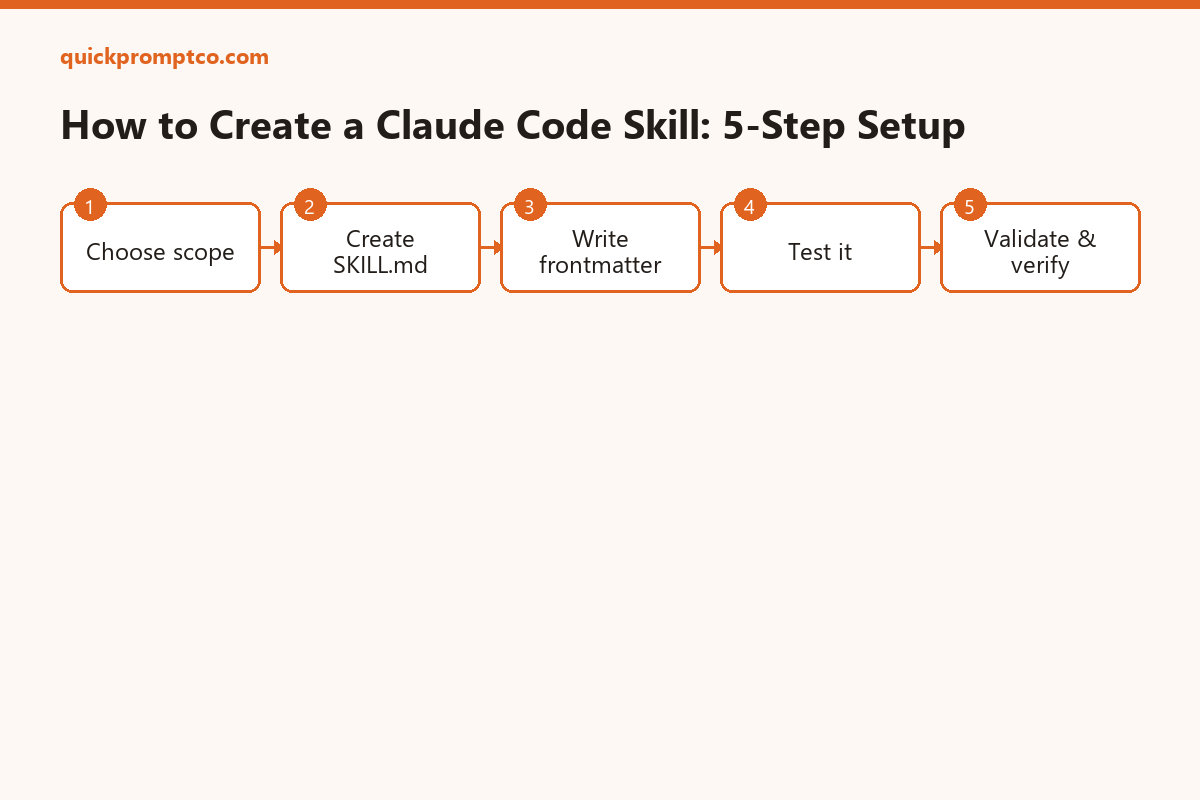
A Skill is a folder with one SKILL.md file that teaches Claude Code a repeatable task or a piece of standing knowledge — a code review checklist, your team’s API conventions, a release process. Claude reads the description and pulls the skill in automatically whenever it’s relevant, no manual invocation needed. This guide builds one from scratch.
Quick Start
Create a personal skill that works across every project on your machine:
mkdir -p ~/.claude/skills/api-conventionsThen create ~/.claude/skills/api-conventions/SKILL.md with a frontmatter block and instructions (see Step 2 below). Claude Code picks it up on its next session start — no restart command needed. Total time: about 5 minutes.
⚡ Copy This Prompt: Let Claude Code Build the Skill For You
Skip Steps 1-4 below entirely and hand the whole thing to the agent instead — Claude Code can create the folder, write the SKILL.md, and validate it in one session:
You have file access in this project. Do the following and report back — do not tell me it's done unless step 4 actually confirms it:

1. Ask me what recurring task or piece of knowledge this skill should cover, and whether it should be personal (~/.claude/skills/) or project-scoped (.claude/skills/).
2. Create the skill folder and a SKILL.md file at the right path.
3. Write the frontmatter (name, and a description phrased the way I'd naturally ask for this task) plus the instructions body, based on what I told you.
4. Run `ls .claude/skills/*/SKILL.md` (or the personal-path equivalent) to confirm the file exists, then run `claude plugin validate .claude/skills` to confirm the frontmatter parses cleanly.
5. If validation fails, do not report success — tell me the exact error and fix it.The agent writes the file, then re-checks it exists and parses cleanly before telling you it’s done — instead of you writing the frontmatter by hand.
What You’ll Need
| Requirement | Why You Need It | Time |
|---|---|---|
| Claude Code installed | Skills are a built-in feature — no extra package to add | 0 min |
| A text editor | To write the SKILL.md file’s frontmatter and instructions | 0 min |
| A recurring task in mind | Skills are worth building for anything you’d otherwise re-explain repeatedly | ~2 min to define |
Step-by-Step Setup
Prefer to do it by hand instead of delegating to the agent? Here’s the manual version of the same steps.
Step 1 — Choose personal or project scope
~1 minPersonal skills live in ~/.claude/skills/ and apply to every project you open. Project skills live in .claude/skills/ at your repo root and are loaded for anyone working in that repo (and its subdirectories, all the way down). Use project scope for team conventions, personal scope for your own habits.
Step 2 — Create the skill folder and file
~1 minEach skill gets its own folder containing exactly one SKILL.md:
mkdir -p .claude/skills/api-conventions
touch .claude/skills/api-conventions/SKILL.mdStep 3 — Write the frontmatter and instructions
~2 minThe opening --- must be the very first line of the file for the frontmatter to parse. description is what Claude matches against your requests, so write it the way you’d naturally ask for the task:
---
name: api-conventions
description: REST API design conventions for our services
---
# API Conventions
- Use kebab-case for URL paths
- Use camelCase for JSON properties
- Always include pagination for list endpoints
- Version APIs in the URL path (/v1/, /v2/)Optional frontmatter fields: disable-model-invocation: true makes it callable only via /api-conventions, never triggered automatically; allowed-tools restricts which tools Claude can use while the skill is active.
Step 4 — Test it
~1 minStart (or restart) a Claude Code session in the project, then ask a question that matches the description naturally — Claude should pull the skill in on its own. To force it regardless of description matching, call it directly:
/api-conventionsWhat Each Piece Does
| Piece | What It Does |
|---|---|
name | Sets the skill’s invocation name; without it, Claude falls back to the folder name |
description | What Claude matches against your requests to decide when to auto-trigger the skill |
disable-model-invocation | Turns off automatic triggering, leaving only manual /name invocation |
allowed-tools | Limits which tools are available while this skill’s instructions are active |
| Skill body (below frontmatter) | The actual instructions Claude follows once the skill is loaded |
Verify the Installation
Confirm the file exists and the frontmatter parses cleanly:
.claude/skills/api-conventions/SKILL.md
$ claude plugin validate .claude/skills
✔ api-conventions: valid
Run the same two commands yourself:
ls .claude/skills/*/SKILL.md
ls ~/.claude/skills/*/SKILL.mdclaude plugin validate .claude/skillsInside a Claude Code session, ask “What skills are available?” — your skill should appear in the list. If the frontmatter has a YAML syntax error, the skill still loads but with no description to match against, so it’ll only work via manual /name invocation.
Common Mistakes to Avoid
- Opening
---isn’t on line 1. Any blank line or comment before it means the frontmatter won’t parse at all. - Vague description. “Helps with APIs” won’t match much. Write it the way you’d phrase the actual request, with the keywords you’d naturally use.
- More than one
SKILL.mdper folder. Each skill needs its own dedicated folder — don’t stack multiple skills’ instructions into one file. - Expecting a skill below your working directory to load automatically. Claude Code loads project skills from where you started up through parent directories to the repo root — not from subdirectories below that, unless you explicitly add that directory to the session.
- Assuming
/nameworking means the description-matching works too. A skill with a broken frontmatter is still manually callable, which can mask the real problem — run the validator instead of just testing the slash command.
Q&A
Do I need to restart Claude Code after adding a skill?
Personal and project skills are picked up on the next session start. Skills in directories added mid-session (via /add-dir) also load at that point without a full restart.
Can I just have the agent build the skill for me?
Yes — that’s what the copy-paste prompt above is for. Claude Code can create the folder, write the SKILL.md, and run the validator itself instead of you writing the frontmatter by hand.
Can a skill call other tools automatically?
Yes, unless allowed-tools restricts it — by default a skill’s instructions run with the same tool access as the rest of the session.
What’s the difference between a skill and a slash command?
A skill can trigger automatically based on its description matching your request. A plain slash command only runs when you type it explicitly — skills with disable-model-invocation: true behave like slash commands.
Can I share a skill with my team?
Yes — put it under .claude/skills/ in the repo and commit it. Anyone who clones the repo gets it automatically.
Official Resources
- Claude Code Skills Documentation — full frontmatter reference and troubleshooting
- Plugins Documentation — bundling multiple skills for distribution
- Claude Code Best Practices — real-world skill examples
If this guide got your first skill working, follow us on X for more setup guides and prompt tips.
Follow @quickpromptco on X
Leave a Reply